LS25 Transaction Log V1.1.0.0

LS25 Transaction Log V1.1.0.0
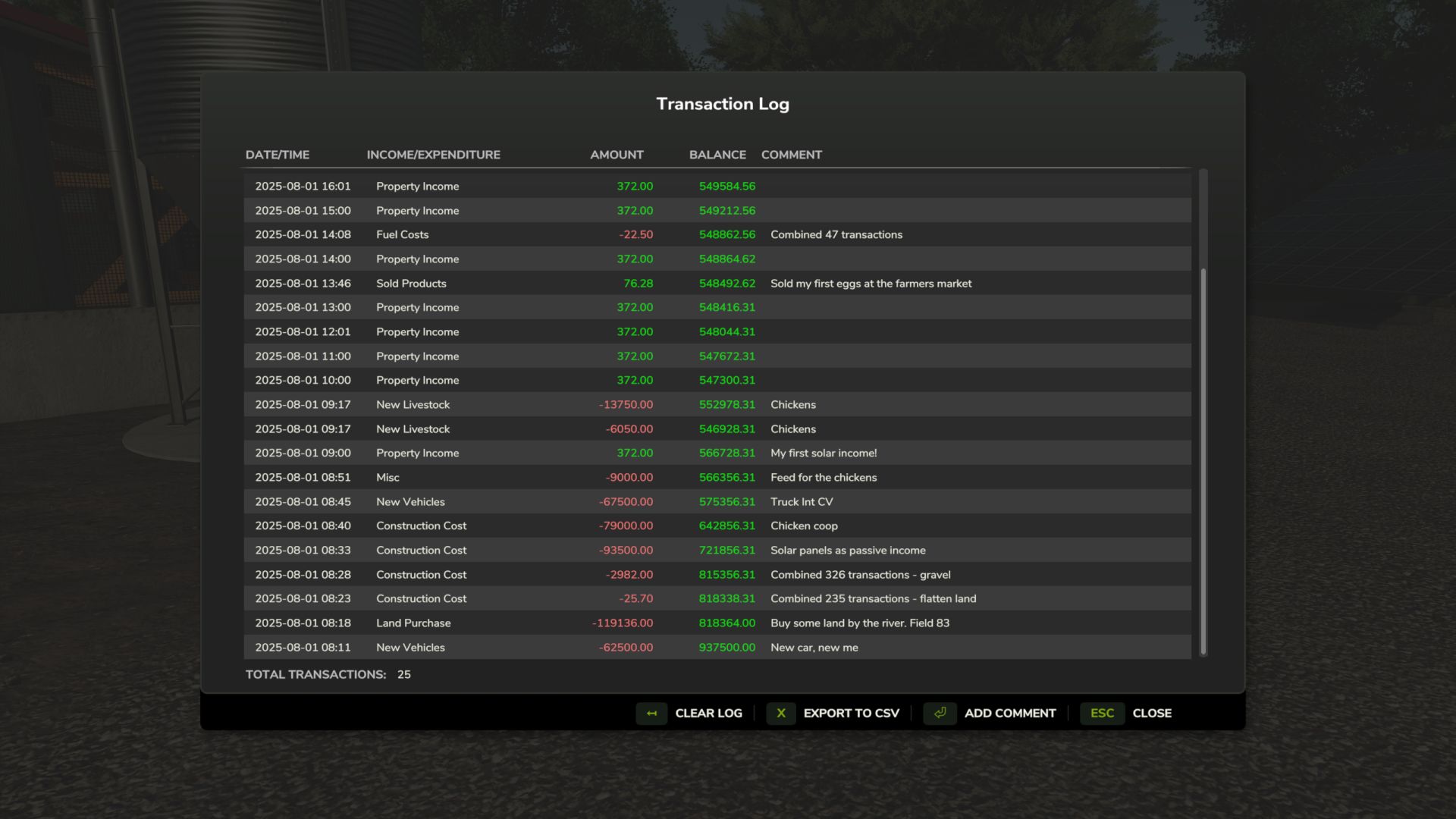
For the micromanagers out there that want to keep track of their farm’s transactions, this mod adds a transaction log to the game.
Default key binding is Right Shift + T to open the transaction log interface. You can change this in the game settings under “Controls”.
– Transaction Logging: Automatically tracks all financial transactions (income and expenses) in real-time
– Transaction combining: Groups frequent small transactions (landscaping, fuel purchase etc) to reduce log clutter.
– GUI Interface: View transaction history in an in-game dialog (accessible via RightShift+T)
– Transaction Details: Display in-game date/time, transaction type, amount, and current farm balance
– Add Comments: Edit and add custom comments to individual transactions
– Persistent Storage: Automatically save and load transaction data with your savegame
– Export to CSV: Export transaction history to CSV files in the mod settings directory for external analysis
– Automatic export to CSV: Export at end of day, month or year as defined in your settings
– Clear Transaction Log: Remove all stored transactions with confirmation dialog
V1.1.0.0
feat: auto-export csv with date-based scheduling
Transaction Log now supports automatic CSV export on daily, monthly, or yearly intervals configurable in the in-game settings menu. Auto-exports are saved with timestamped filenames (e.g., “auto_20241209†for daily) and include transactions from the time period.