LS25 Savegame Mod Extractor v1.0.0.0


LS25 Savegame Mod Extractor v1.0.0.0
Who doesn’t know this problem: You want to test a savegame, but it feels like all available mods are activated, even though many of them are not actually required.
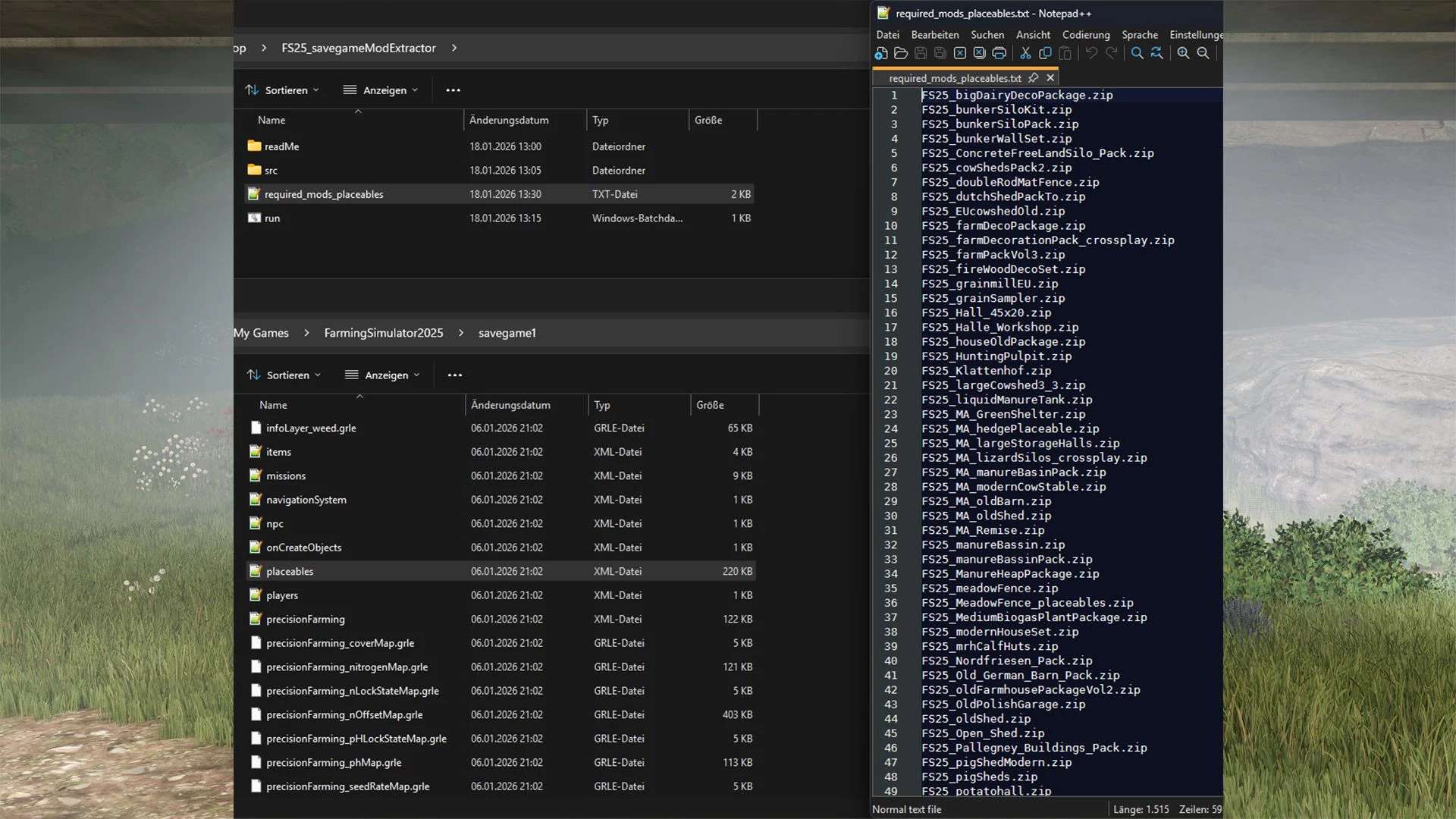
This standalone tool (not a mod) helps to quickly and easily determine which mods are truly necessary.
Simply drag and drop the placeables.xml or vehicles.xml file into the program. It will then generate a clear list of all mods that are actually required.
This tool only detects mods that are actually used by objects in the savegame.
Script-only mods, UI mods, and other non-physical mods are not referenced in these files and therefore cannot be detected.