LS25 GE10 Script – Traffic Manager (Prefab) V1.0.0.0

LS25 GE10 Script – Traffic Manager (Prefab) V1.0.0.0
Traffic Manager
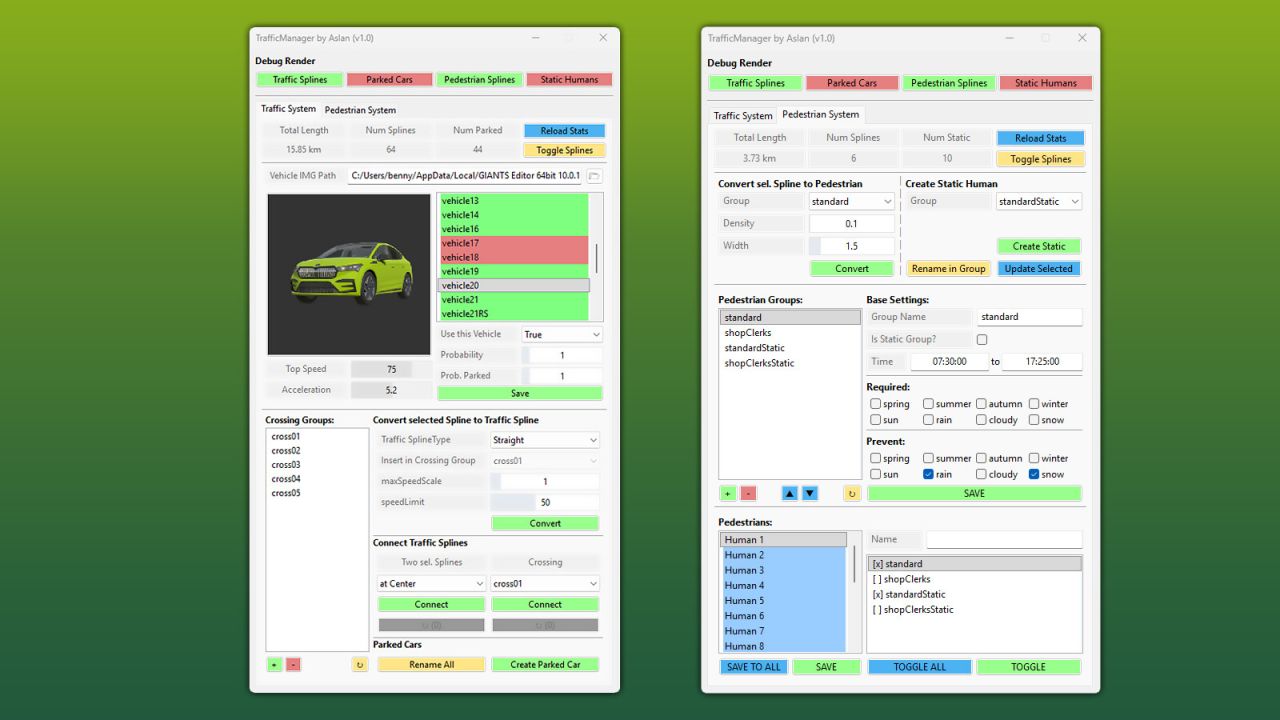
This comprehensive script for the GIANTS Editor 10 allows you to create, manage and debug complete traffic and pedestrian systems directly inside the editor. The Traffic Manager provides a wide range of tools for quickly setting up traffic splines, pedestrian paths and static characters, while also offering full control over all related XML data.
The tool enables you to convert splines into traffic or pedestrian splines and automatically assign required attributes such as speed, density and group settings. Existing systems can be loaded, extended and fully edited, including group management, time schedules, conditions (e.g. seasons, weather) and sound configurations.
A strong focus is placed on pedestrian management:
Groups can be created, modified and removed. Pedestrians can be assigned to these groups individually or globally. In addition, static humans can be placed directly in the editor, organized within groups and visually debugged. The tool also supports moving entities between groups as well as automatic renaming and scene cleanup.
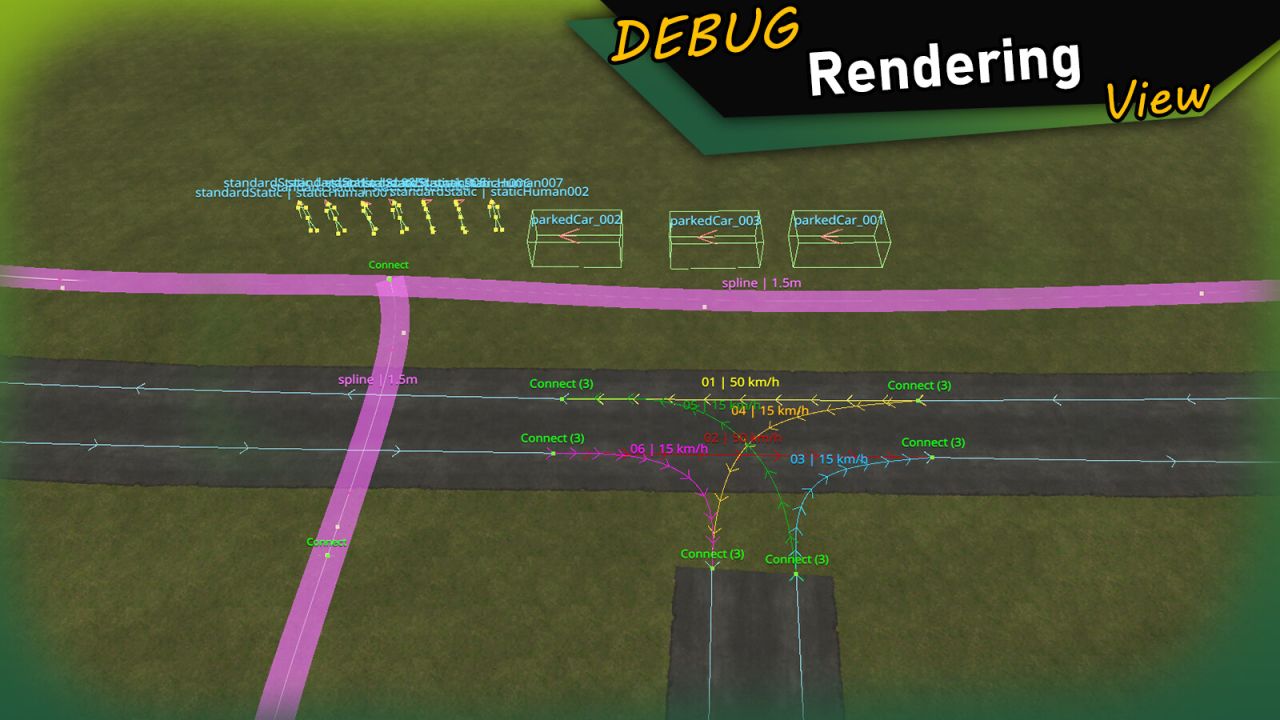
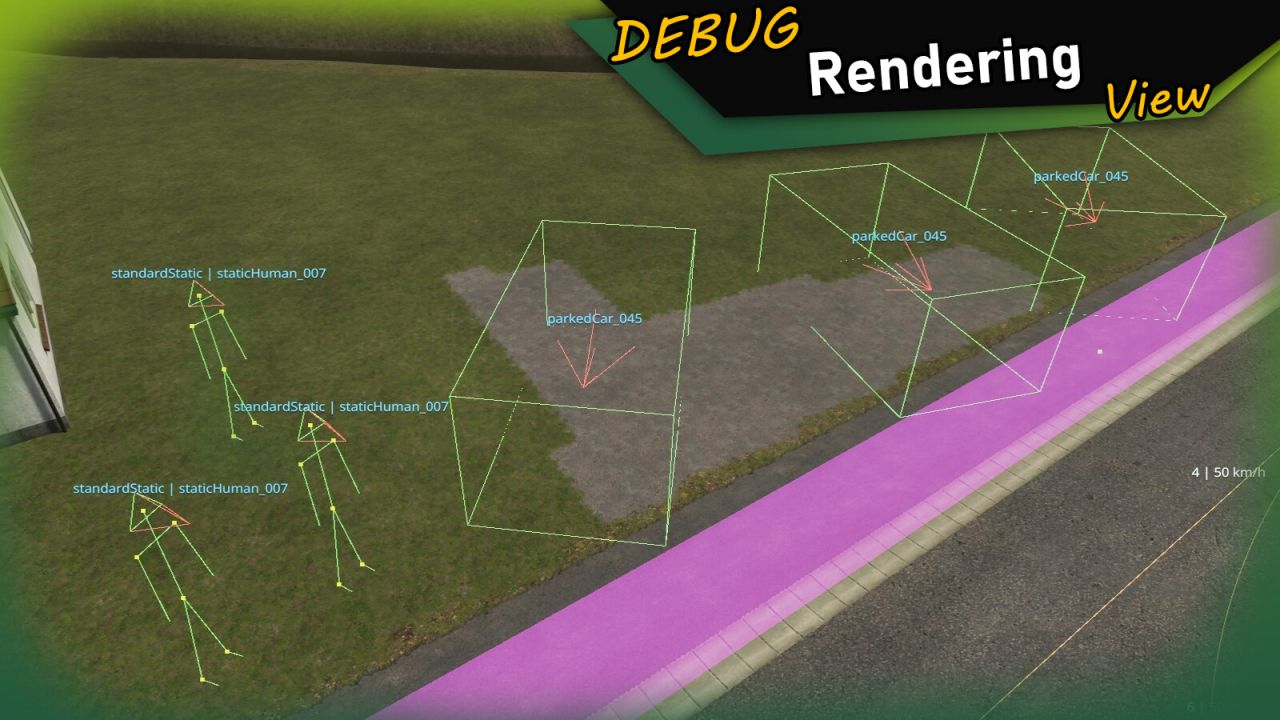
For maximum clarity, the script includes extensive debug visualization directly in the viewport:
Traffic splines, pedestrian paths, static humans, directions and bounding boxes are rendered in real time. This makes it easy to identify issues and understand system behavior without leaving the editor.
This tool is designed for both beginners and advanced modders and significantly speeds up the creation of complex, lively maps.
Installation:
1. Navigate to the installation directory of the GIANTS Editor (e.g. “C:/Program Files/GIANTS Software/GIANTS_Editor_10.X.X”).
2. Copy the file “TrafficManager.lua” and the folder “imgTrafficVehicles” from the prefab into the GIANTS Editor script folder.
3. Restart the GIANTS Editor. The script will then be available via the menu bar under “Scripts”.