LS25 OZZ XR2 P9 (Prefab) V1.0.0.2

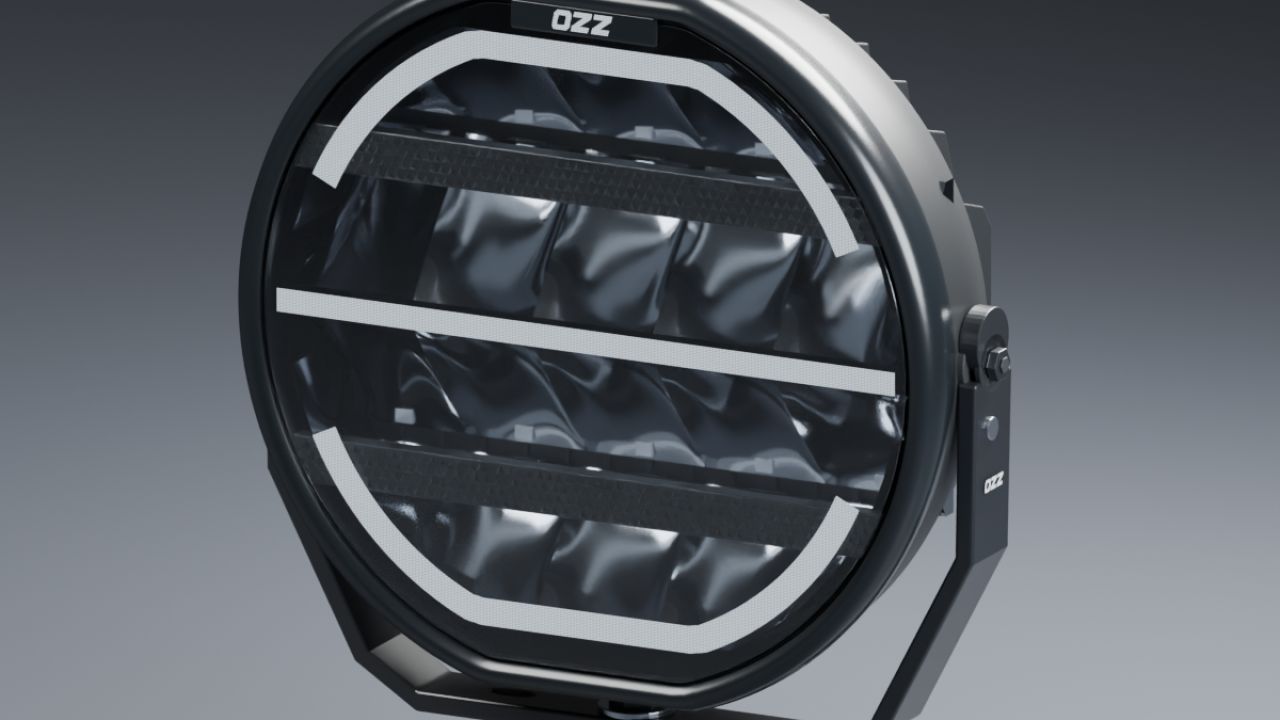
LS25 OZZ XR2 P9 (Prefab) V1.0.0.2
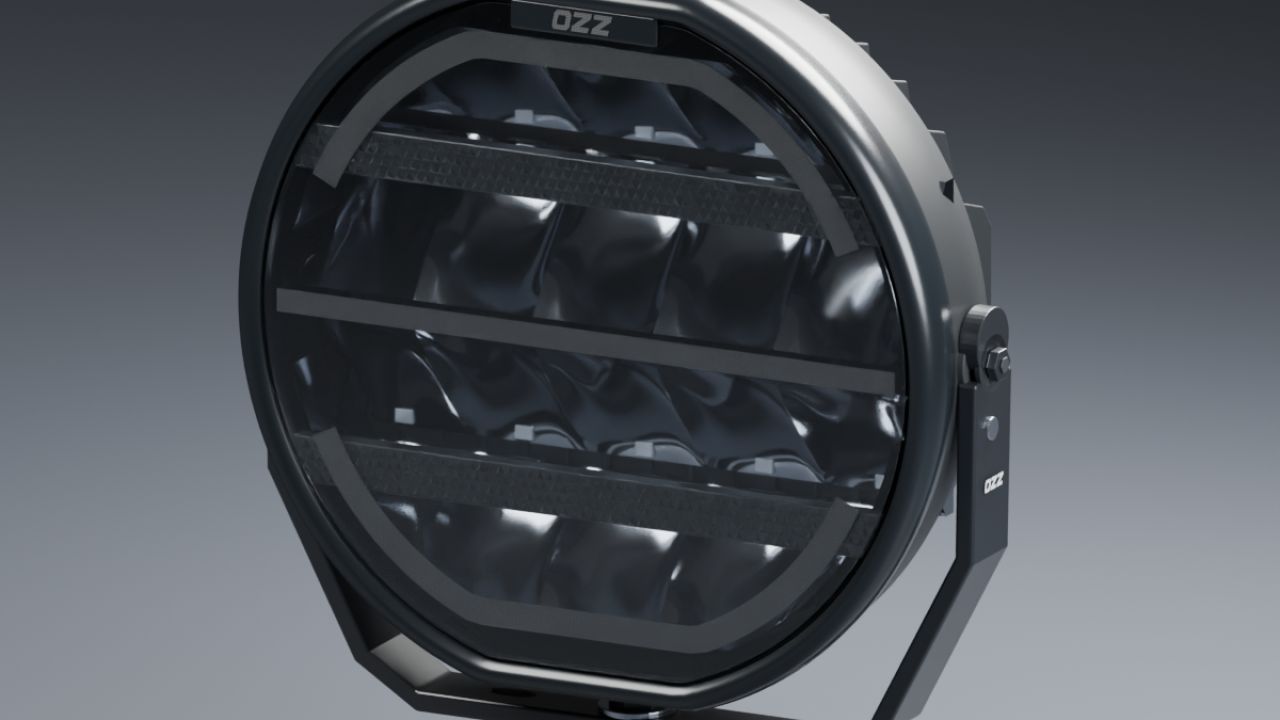
Bring the OZZ XR2 P9 look to your Farming Simulator 25 vehicles with this detailed driving-light prefab by NorthernLight Modding.
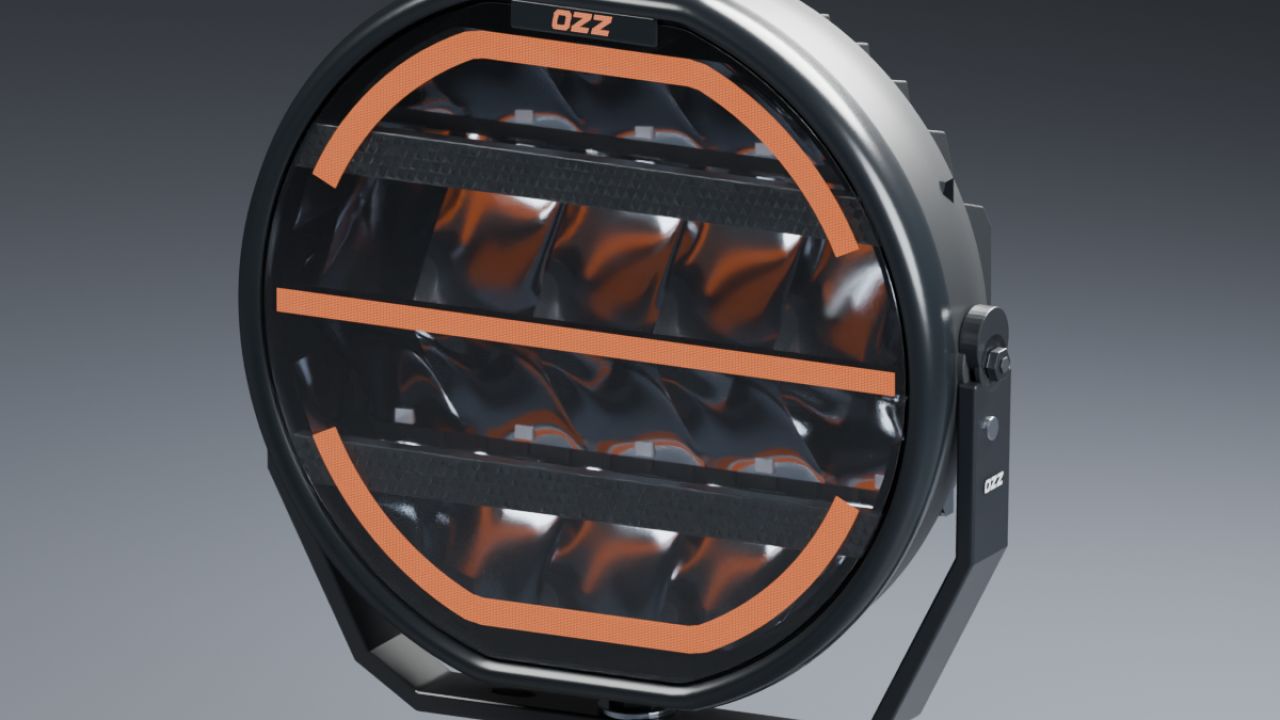
The package includes amber and white position-light variants. The illuminated front OZZ logo follows the selected position-light colour, while the white high beam combines visible LED and reflector illumination with a separate beam that lights the road.
Features:
Detailed curved reflectors, clear front lens and textured light strips.
Amber or white position lighting with a matching illuminated front logo.
White high beam with a real light source.
Modelled inner housing walls and closed trim edges in both detail levels.
Rear cooling fins, mounting bracket, threaded mounting stud and a short black cable stub.
Separate lamp pivot for adjusting the head angle.
Two detail levels for distance rendering.
No custom Lua required.
The complete package includes the I3D models, textures, editable Blender source files, presentation images, and full English and Swedish installation guides with vehicle XML examples.
This is a prefab for modders. It must be installed in a vehicle using GIANTS Editor and connected in the vehicle XML; it is not a standalone item in the in-game shop. Position lighting is steady; an animated startup sequence is not included.
Version 1.0.0.2:
Added physical inner housing walls and closed trim edges in both detail levels.