LS25 Linked Hydraulics V1.0.0.0

LS25 Linked Hydraulics V1.0.0.0
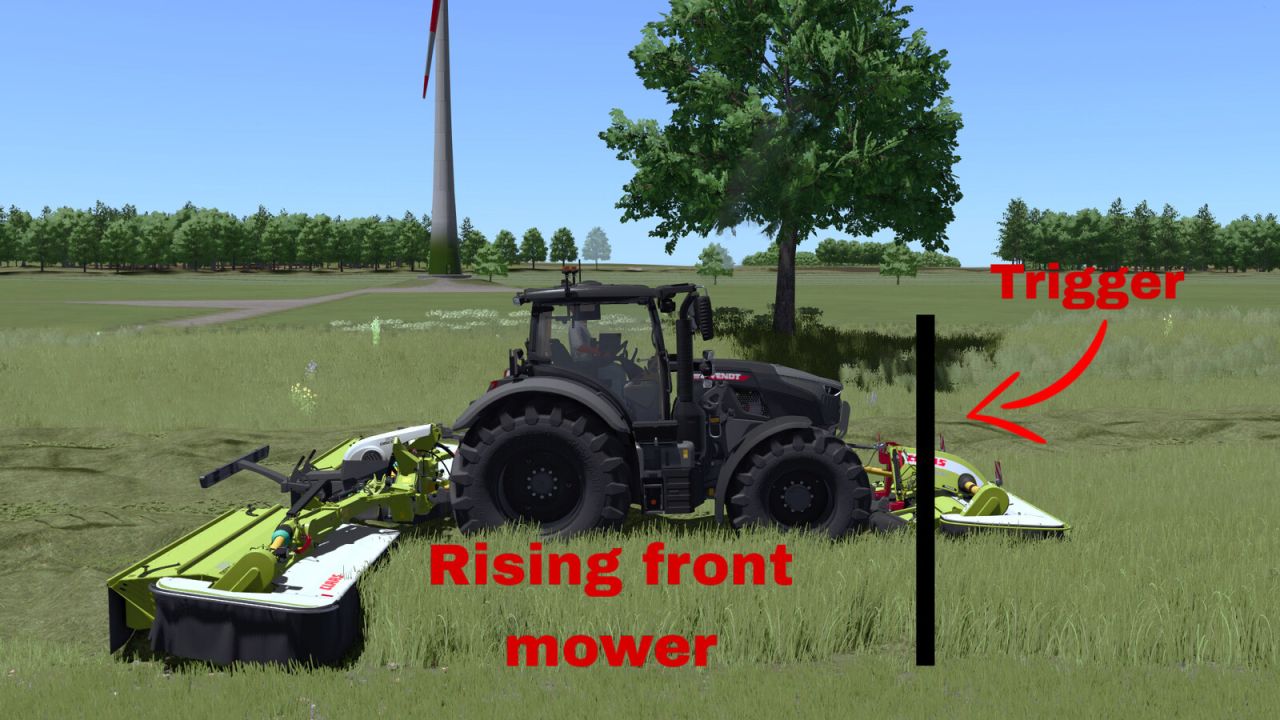
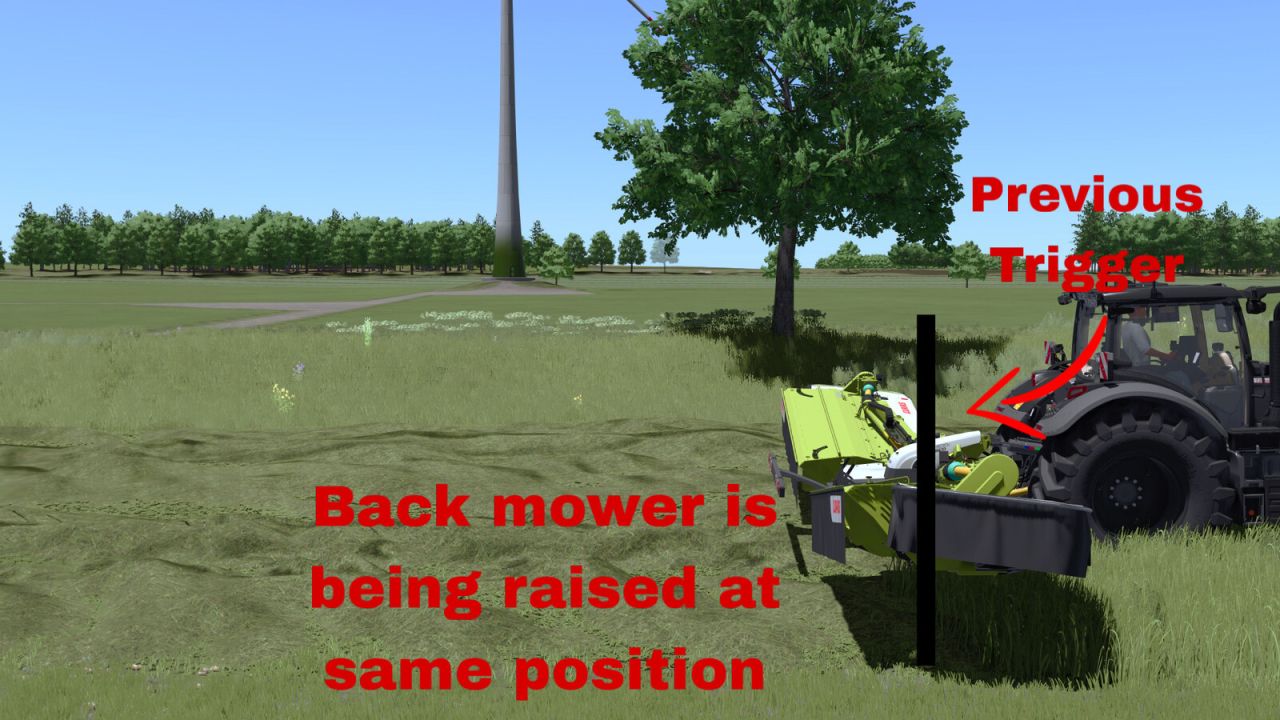
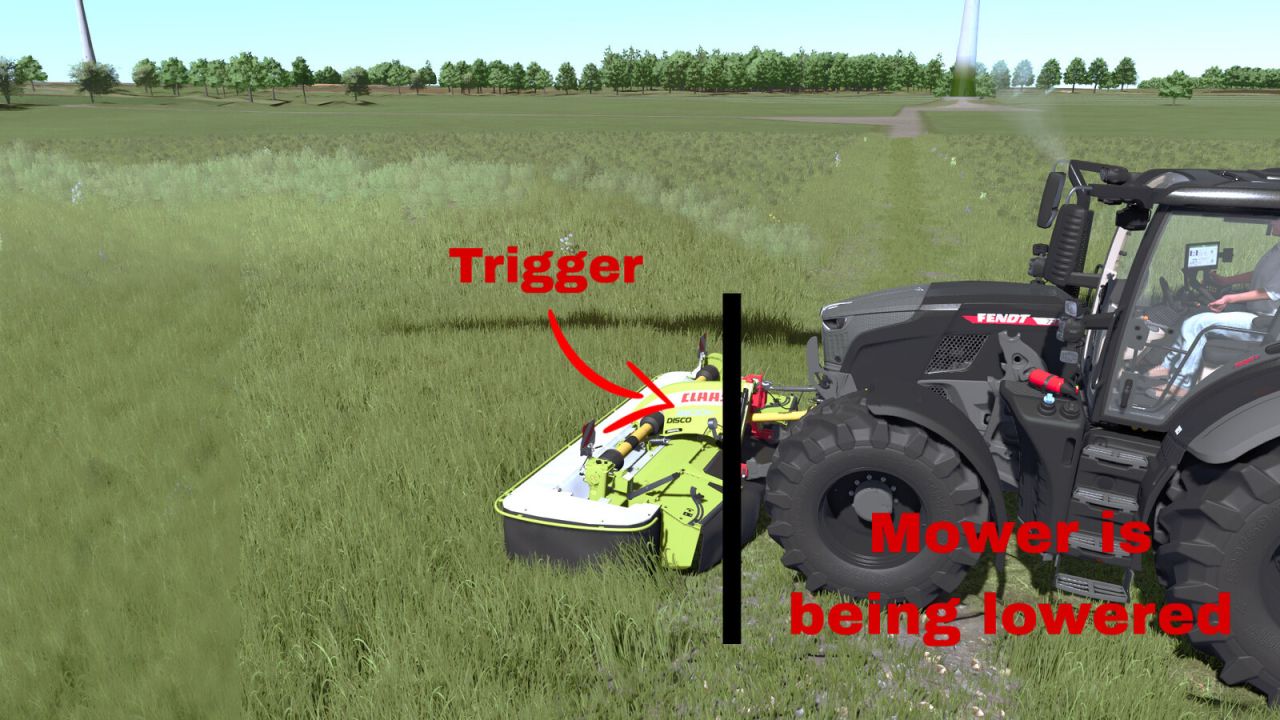
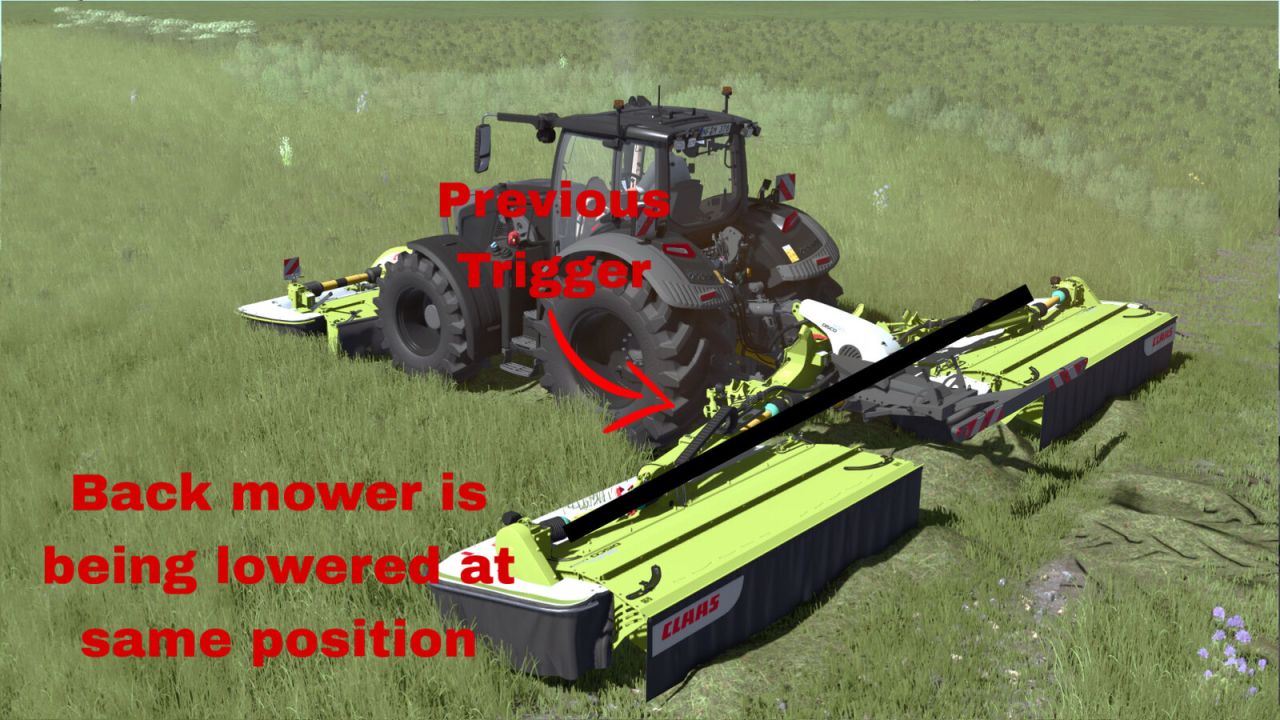
Linked Hydraulics synchronizes front and rear mower hydraulics by working position.
Lower or raise the front mower first. The compatible rear mower will perform the same action automatically when it reaches the same working position.
Usage:
Left Alt + K – Toggle Linked Hydraulics.
Left Alt + J – Move the rear mower lowering lead forward.
Left Alt + N – Move the rear mower lowering lead backward.
Tap J/N for precise 0.10 m adjustment or hold the key for continuous adjustment.
The lowering lead is useful for mowers that lower slowly. It only affects lowering; raising always uses 0.00 m lead.
A temporary line shows the adjusted lowering position and disappears after 3 seconds.
All key bindings can be changed in the controls menu.
Linked Hydraulics is disabled by default.