LS25 Indoor Reversing Camera V1.0.0.0

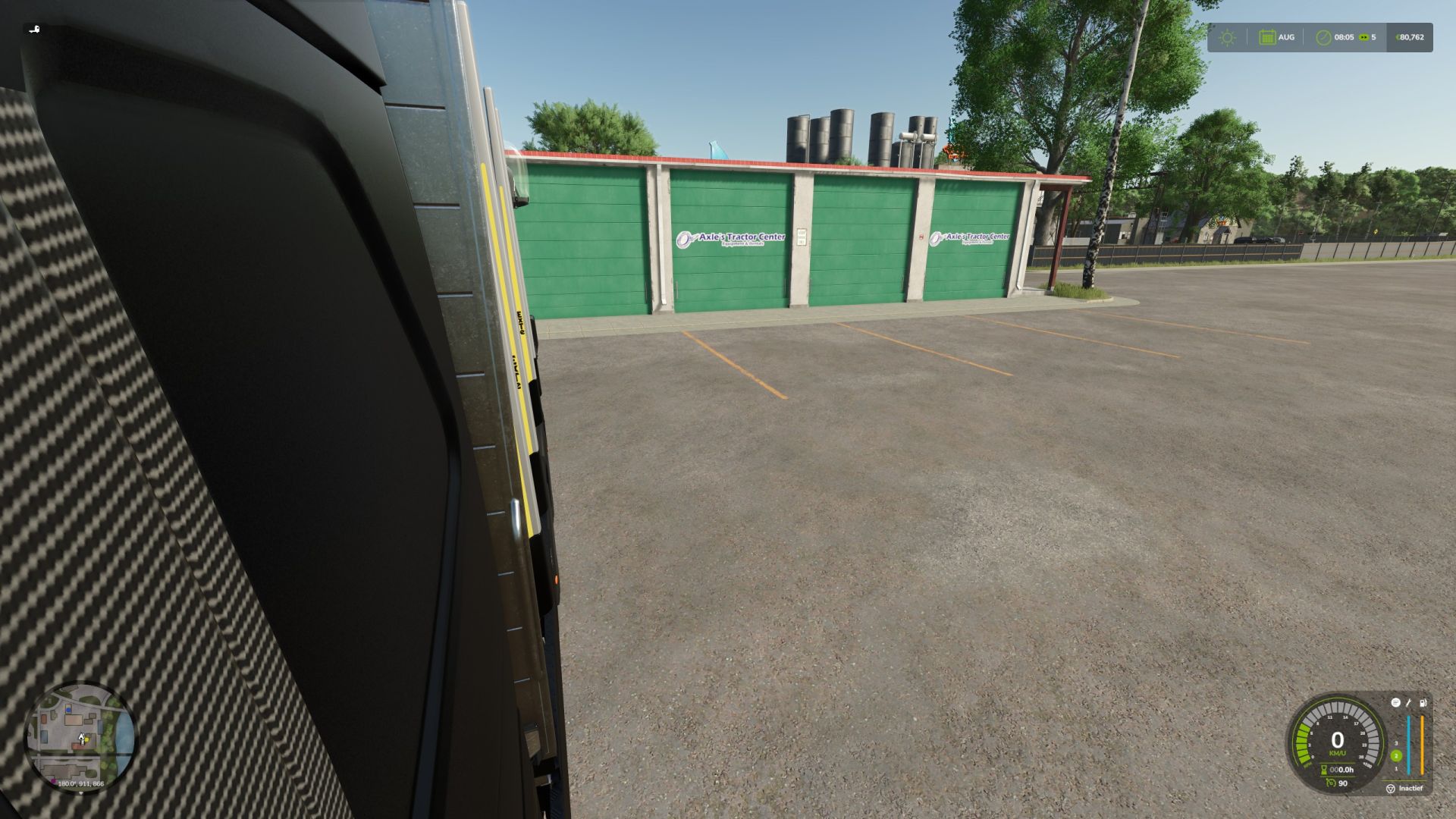
LS25 Indoor Reversing Camera V1.0.0.0
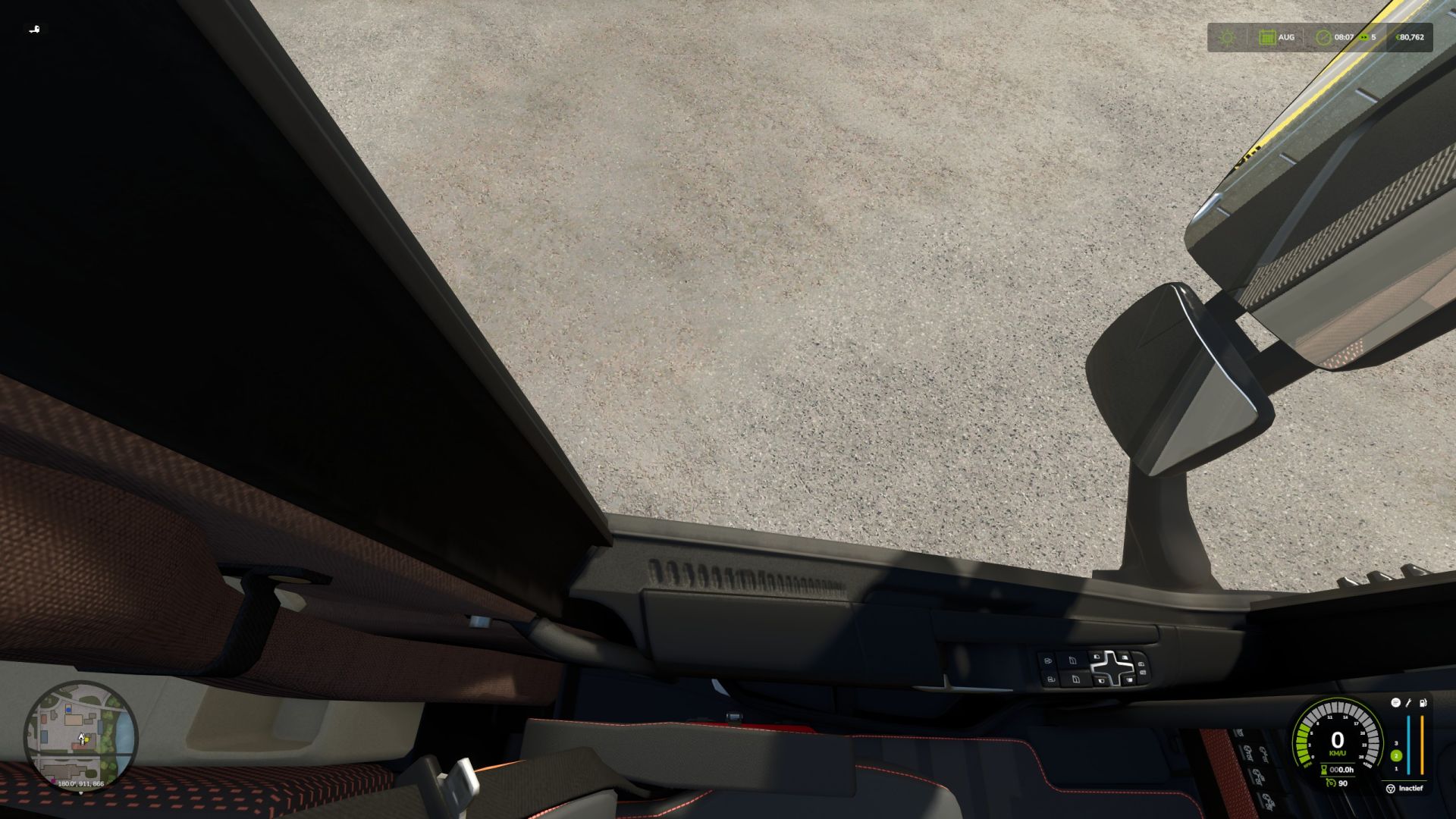
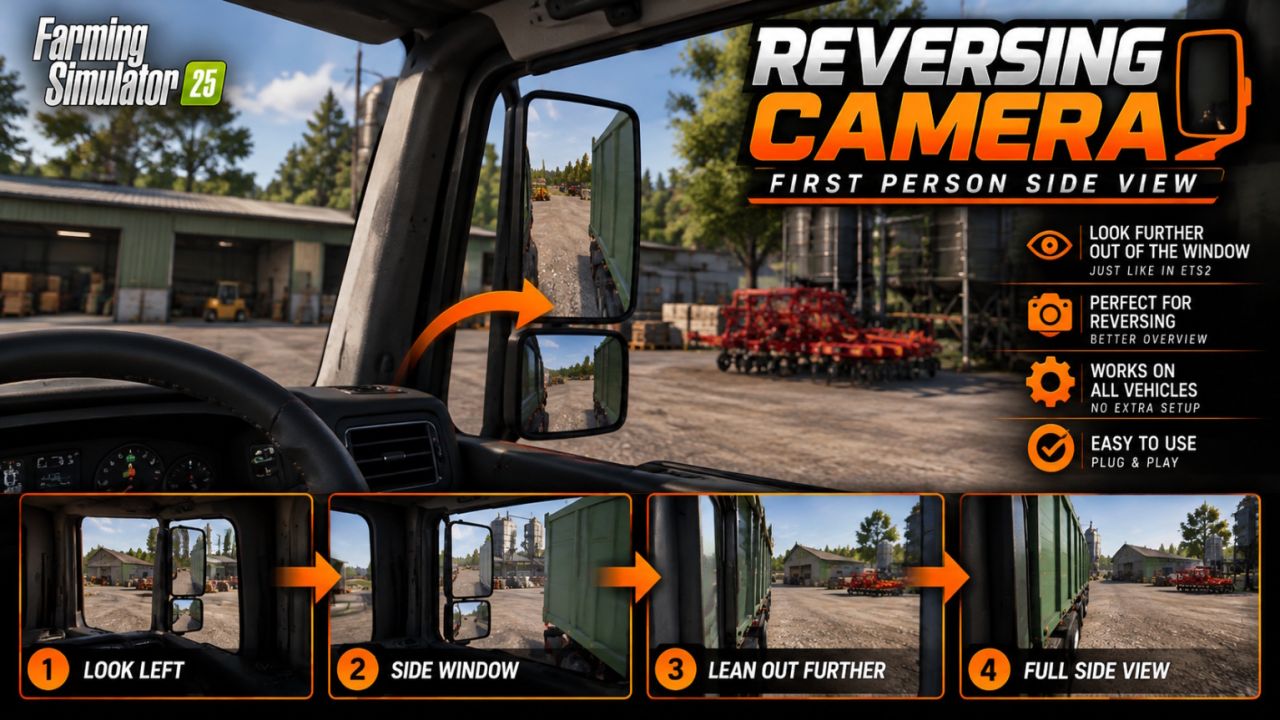
Through the side window. This allows you to look alongside your vehicle and trailer, just as you would in real life!
No more hassle of constantly switching to the third-person camera to see where you are driving.
Features
Realistically look through the side window from first-person view.
Smooth camera movement, similar to ETS2.
Much better visibility when reversing and manoeuvring.
Works automatically when you look far enough to the side.
Optional support for the right window.
Adjustable distance for how far you lean your head out.
Designed for use with various vehicles.
Controls
Mouse to the left: Automatically look out of the window.
Ctrl + Numpad 0: Toggle feature on/off.
Ctrl + Numpad Enter: Toggle right window on/off.
Ctrl + Numpad + / -: Adjust distance.
DBG Community – FS25 adaptation
kenny456 – Original FS19 concept
A small addition that makes a big difference for players who enjoy driving realistically from the cab!
Enjoy driving on behalf of DBG Community!