LS25 First Person Player Body V1.2.0.0

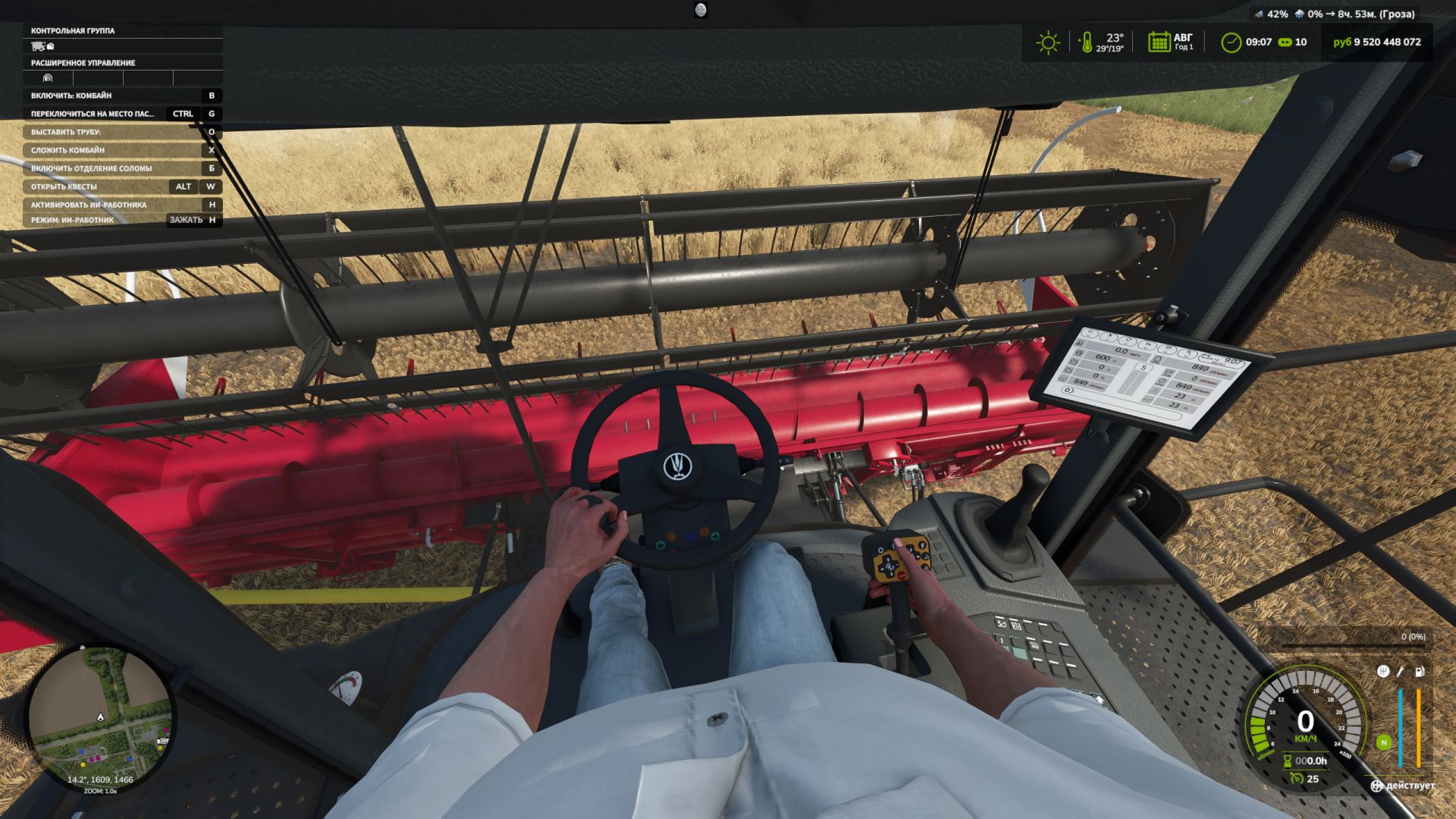
LS25 First Person Player Body V1.2.0.0
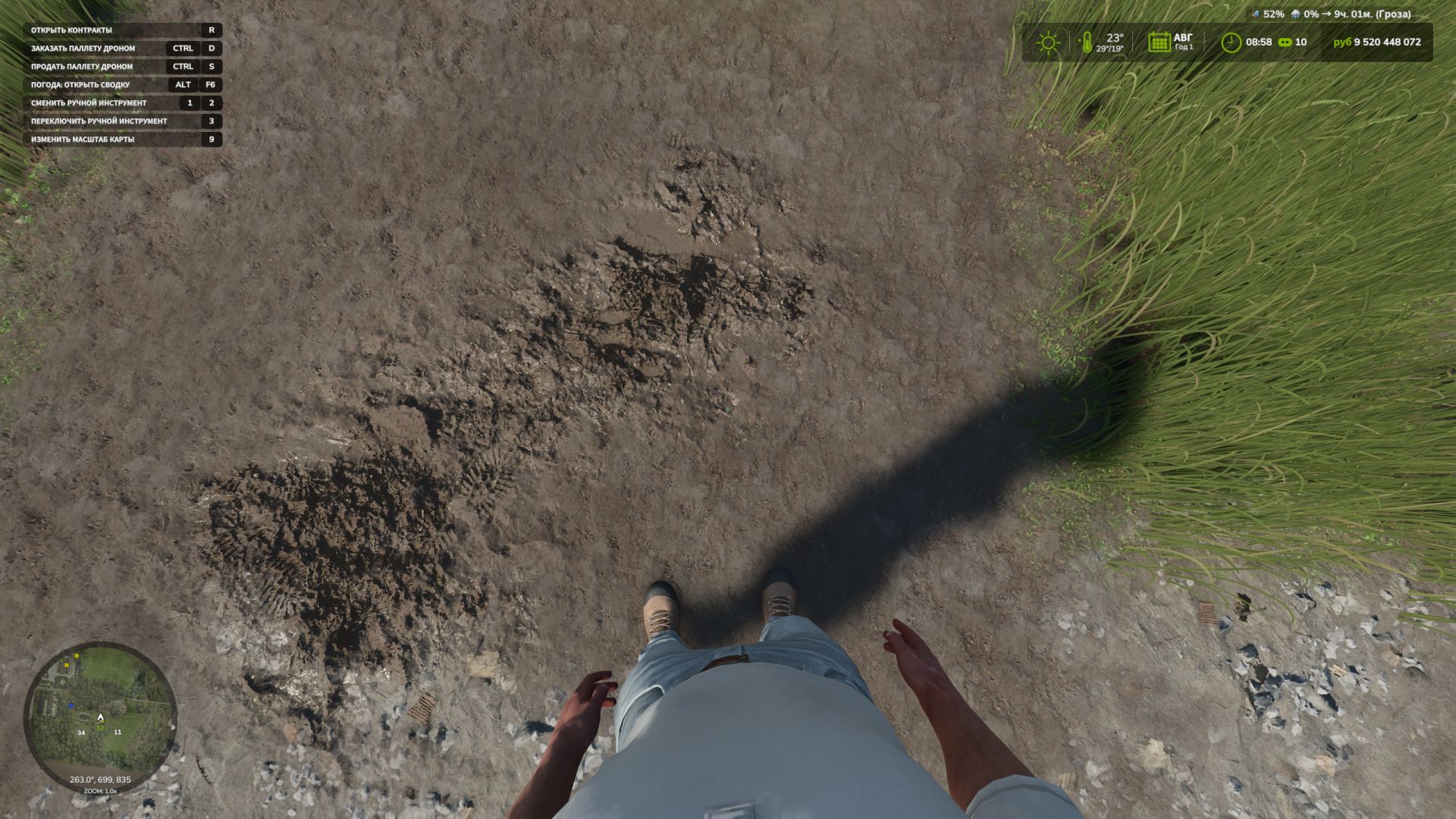
The First-Person Player Body adds a “full” character display in first-person mode in Farming Simulator 25.
Now, when looking down, the player can see their animated body, legs and arms, while the character’s movements are correctly displayed together with the camera. The head remains behind the camera, so it does not obstruct the view, but it still contributes to the formation of the shadow.
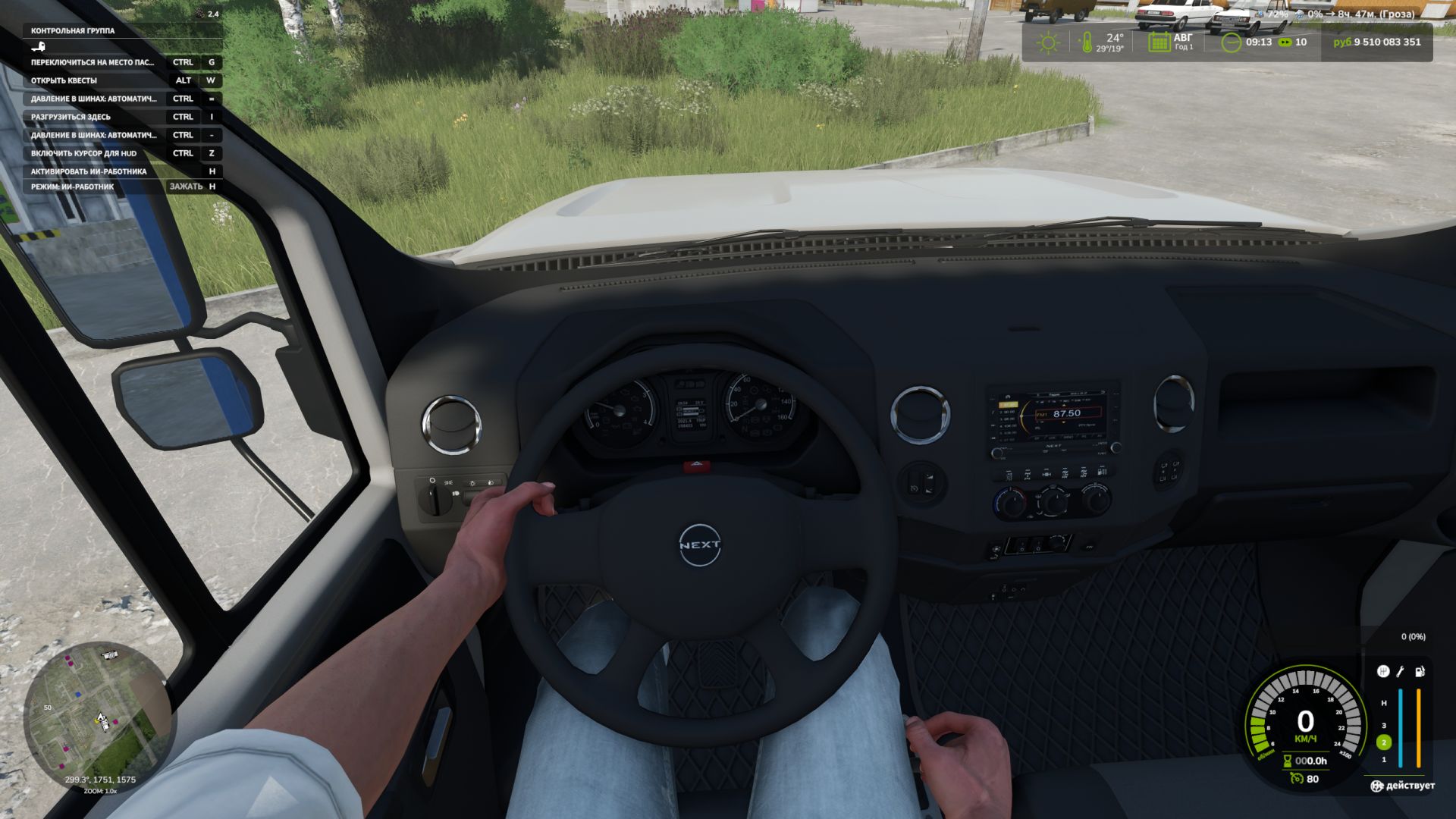
The mod also improves the first-person view inside vehicles. When using the interior camera, the standard seated driver model is displayed. The camera can follow the eye animation and movements of the seated character.
The mod settings include:
On foot
– Player body visibility.
– Camera side-to-side sway.
In vehicles
– Driver body visibility.
– Camera position — standard or eye level.
– Camera following the driver’s animation.
To move the camera in standard mode, or the entire character in eye-level mode:
Rctrl + Arrow keys
RAlt + Arrow keys
Rctrl + h – adjust the position of the hands on the steering wheel.
V1.2.0.0
By pressing RCtrl + H in vehicles (this can be changed in the settings), you can now adjust the position of the hands on the steering wheel as you like by controlling the arm bones.