LS25 Crop Insurance v1.0.0.0

LS25 Crop Insurance v1.0.0.0
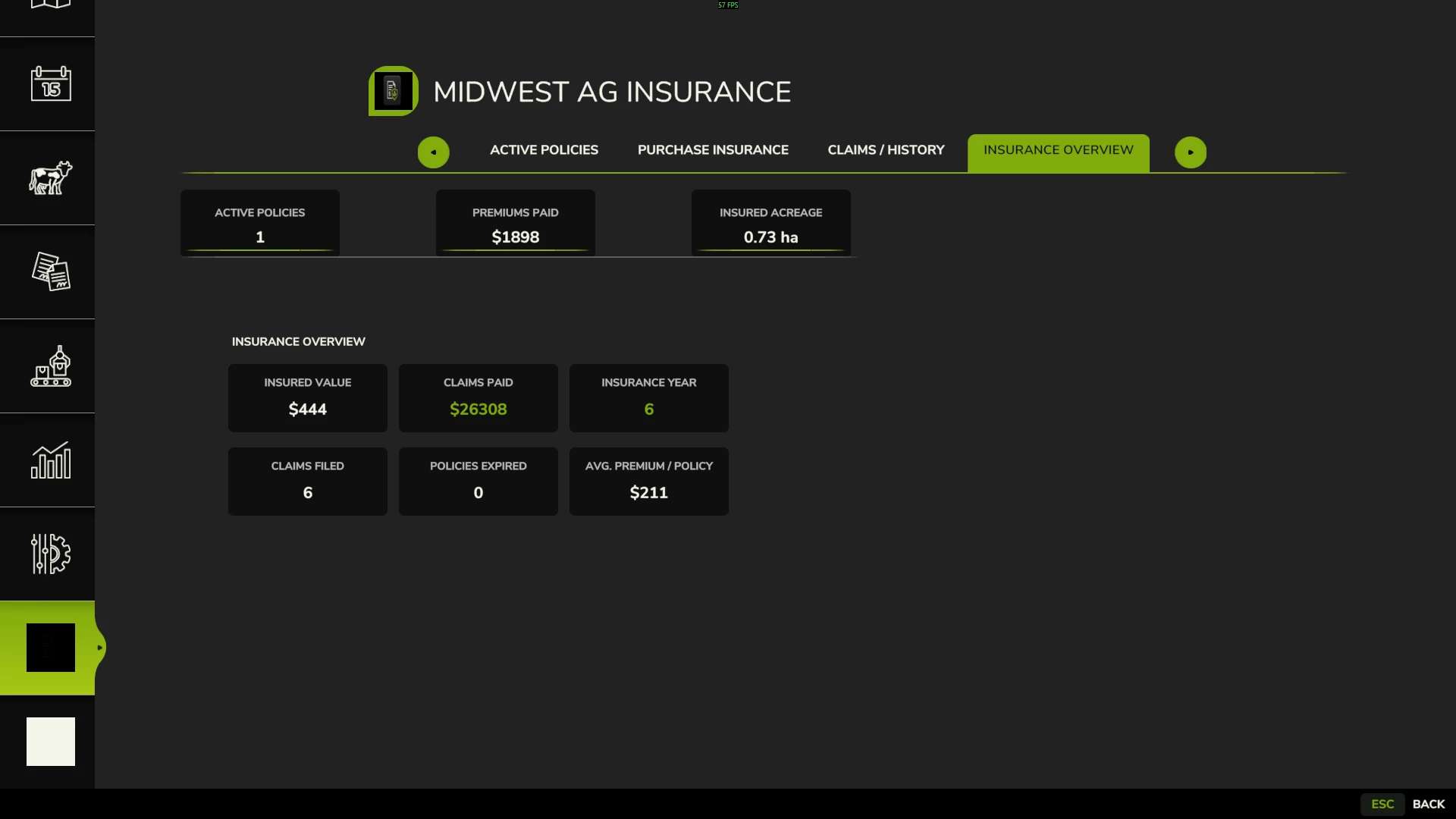
Midwest Ag Insurance
Crop Insurance Management System for Farming Simulator 25
Version 1.0.0.0 | Midwest Modding Studio
Protect your crop investment with Midwest Ag Insurance, a dedicated crop insurance management system designed for realistic farm management.
Midwest Ag Insurance brings policy management, covered-loss notifications, manual claim filing, claim review, and indemnity payouts into one streamlined system.
There are 2 files when you click download now, one is the mod, the other is a pdf with instructions on policy purchasing and claim submission along with other policy information.
V1 Features
– Crop insurance policies
– 50%, 60%, 70%, and 80% coverage options
– Coverage tied to the life of the current crop year
– Policy countdown toward the start of the applicable crop’s harvest season
– Hail coverage
– Covered-loss claim notifications
– Manual claim submission through the Submit Claim wizard
– Field selection and claim review
– Claim determination and indemnity processing
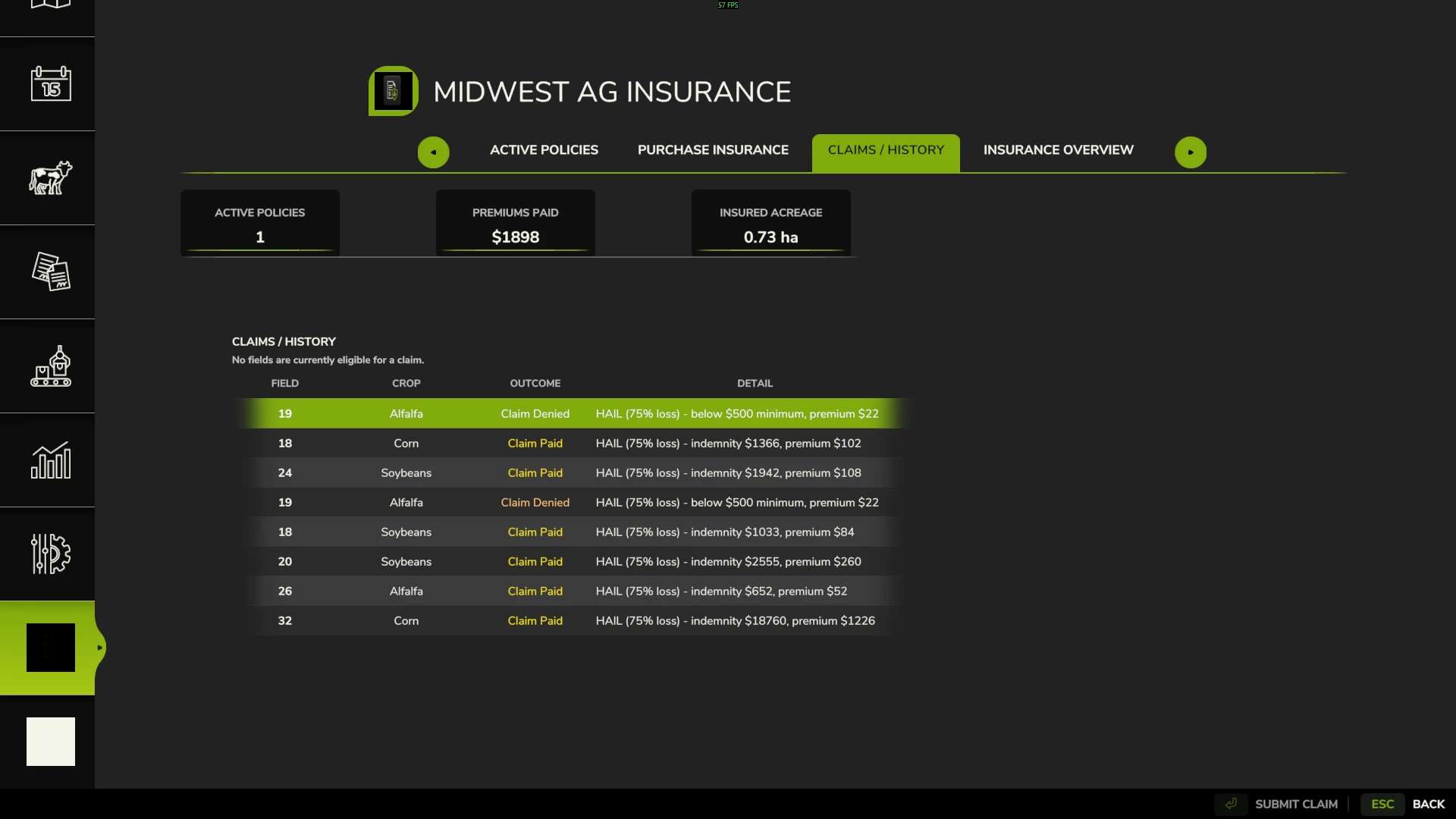
– Claim history
– $500 minimum payout threshold
– Coverage-specific indemnity factors
– Dedicated Midwest Ag Insurance interface
– Live insured value updating
How to File a Claim
When the system identifies a potential covered loss:
1. Claim Notification
The system notifies you that a claim may be available.
2. Submit Claim
Select Submit Claim to open the claim wizard.
3. Select the Field
Choose the field associated with the potential loss.
4. Review the Claim
Review the information presented by the claim wizard.
5. Submit
Submit the claim for processing.
Approved claims are processed according to the policy’s coverage and applicable V1 claim rules.
V1 Covered Event
HAIL
Hail is the only documented covered weather event in Version 1.0.0.0.
Future versions may expand the insurance system with additional loss events and more advanced claim calculations.
Coverage Levels
| Coverage | V1 Indemnity Factor |
| 50% | 50% |
| 60% | 60% |
| 70% | 70% |
| 80% | 80% |
Coverage level and loss-event severity are separate components of the V1 claim calculation.
Claim Processing
Claims are not automatically paid when a covered event occurs.
A covered event makes a potential loss claim-eligible. The player must submit the claim through the claim wizard before the claim can be reviewed and processed.
Claims that fall below the $500 minimum payout threshold are denied.
Midwest Modding Studio
Midwest Ag Insurance is a Midwest Modding Studio product and part of a broader agricultural management ecosystem for Farming Simulator.
Version 1 focuses on providing a straightforward foundation for crop insurance while leaving room for future expansion.
MIDWEST MODDING STUDIO
Agricultural Systems • Simulation • Technology
Version Information
Mod: Midwest Ag Insurance
Studio: Midwest Modding Studio
Game: Farming Simulator 25
Version: 1.0.0.0
V1 is intentionally focused. Hail is the only documented covered weather event at release.
There are a few known issues that are cosmetic and one gameplay issue. The cosmetic issue: when loading into your game, you open the insurance menu and all the text will be scrambled. Just exit the menu, then reopen and it will be fine. This will be addressed in a future update. Also, as of now it will allow you to purchase insurance on fields not owned by you, this will also be addressed in the next update.
Thank you for supporting Midwest Modding Studio!