LS25 Custom Field Tool V1.3.1.5

LS25 Custom Field Tool V1.3.1.5
Custom Field Tool allows you to create, measure and manage your own custom fields anywhere on the map — including areas that are not recognized as standard in-game fields.
Walk around the field boundary and place points to create an accurate outline. The mod calculates the field area, saves it to your savegame and lets you manage all created fields directly from the tablet interface.
Main features:
Create and save custom field boundaries
Accurate field area measurement in hectares
Add and undo boundary points while drawing
Field point counter
Name and manage saved fields
Show or hide field borders
Delete saved fields
Dedicated field map with zoom
Crop Analysis system — scan the selected field to detect crop types, coverage and occupied area
Graphical Help system
Support for English, Polish, German and French
Rebindable controls
Multiplayer support
Automatic savegame integration
The mod is under active development. More field analysis and Field Status features are planned for future updates.
Custom Field Tool by Mosit
V1.3.1.5
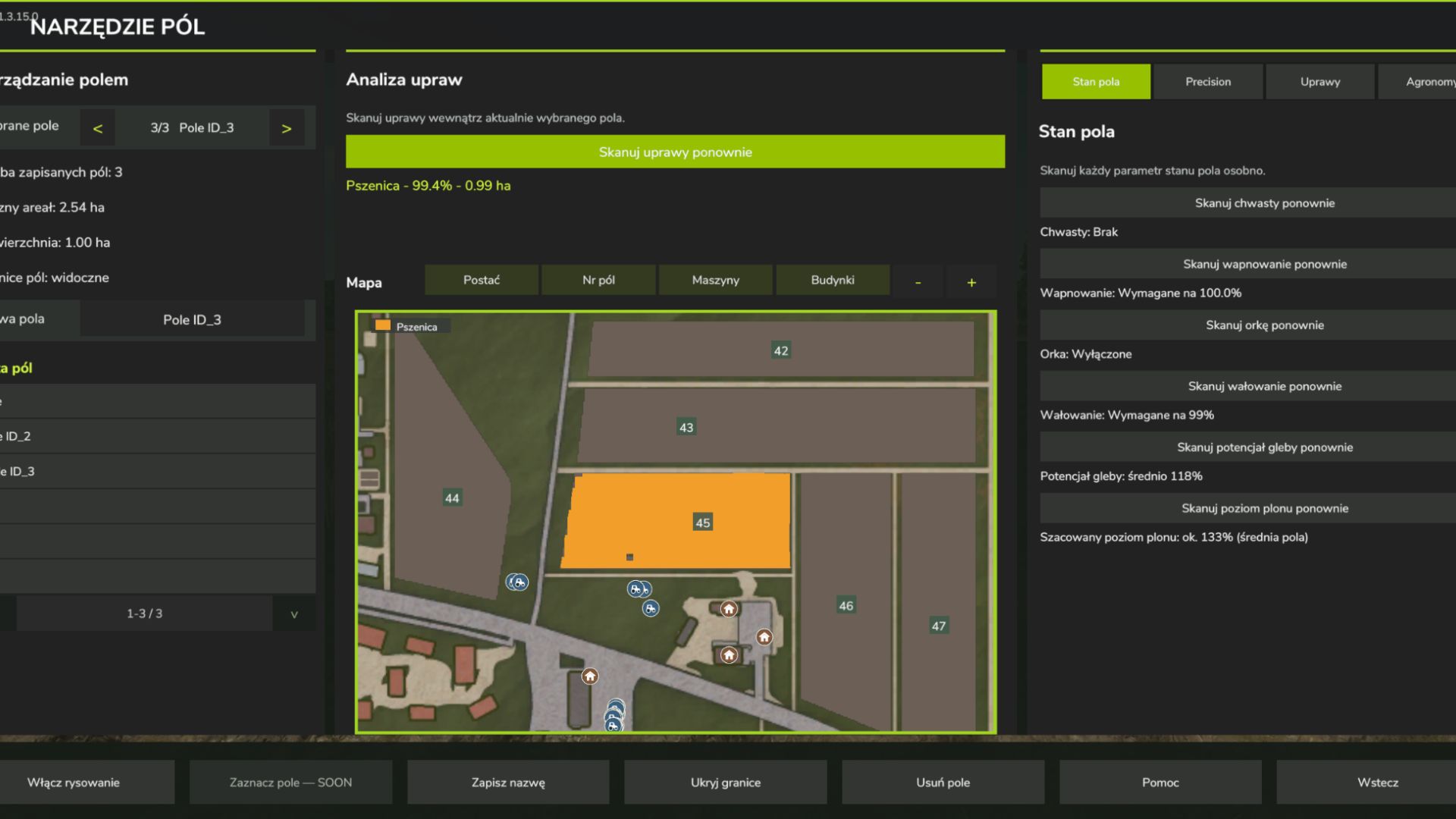
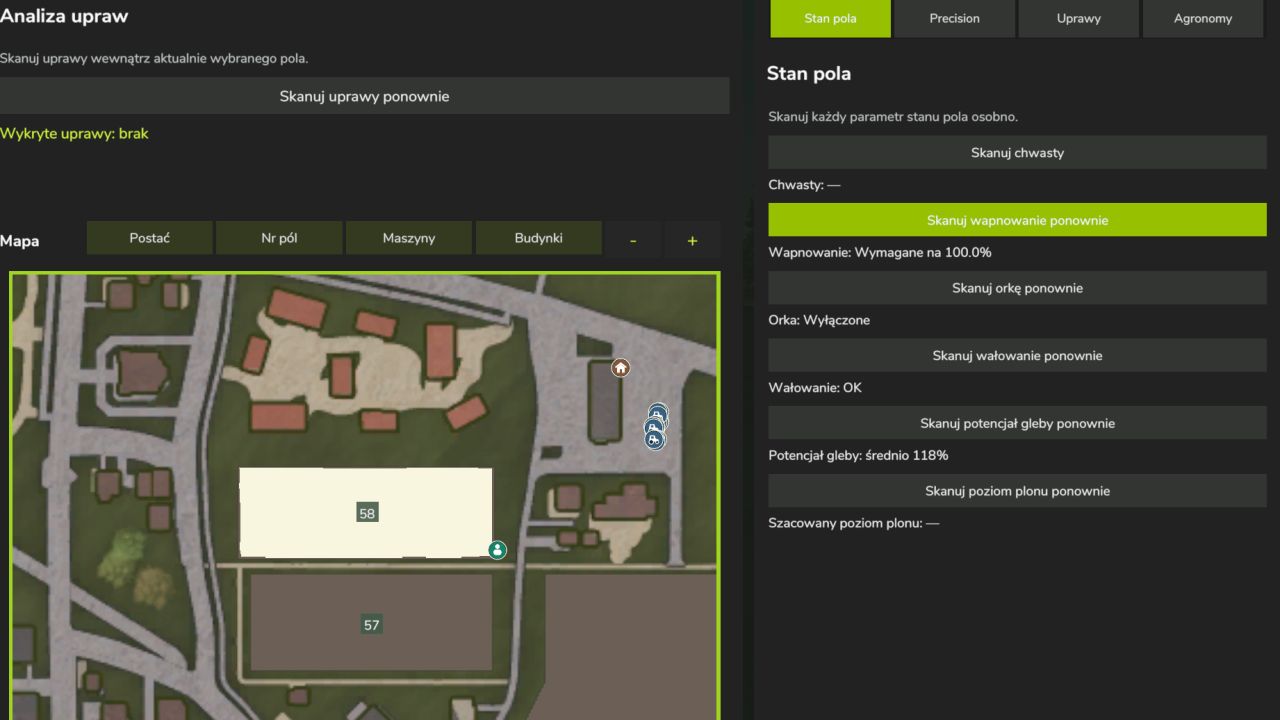
Redesigned the tablet with a larger map, closer zoom, a separate action bar, and tabs for field data.
Added individual scans for crops, growth stages, weeds, lime requirements, plowing, and rolling.
Scan results now appear as colored areas on the map. Crop scans show where each crop grows, its share of the field, and its area in hectares.
Added map filters for the player, field numbers, machines, and buildings.
Improved yield estimates and added support for optional mods. Precision Farming provides soil, pH, and nitrogen data. Precision Agronomy adds root condition and yield bonus scans.
Improved field drawing with a crosshair marker, a point counter, and the option to undo the last point.
Added an illustrated guide in English, Polish, German, and French. Press F3 or select Help on the tablet to open it.