LS25 GPS Plus BETA v1.0.0.0

LS25 GPS Plus BETA v1.0.0.0
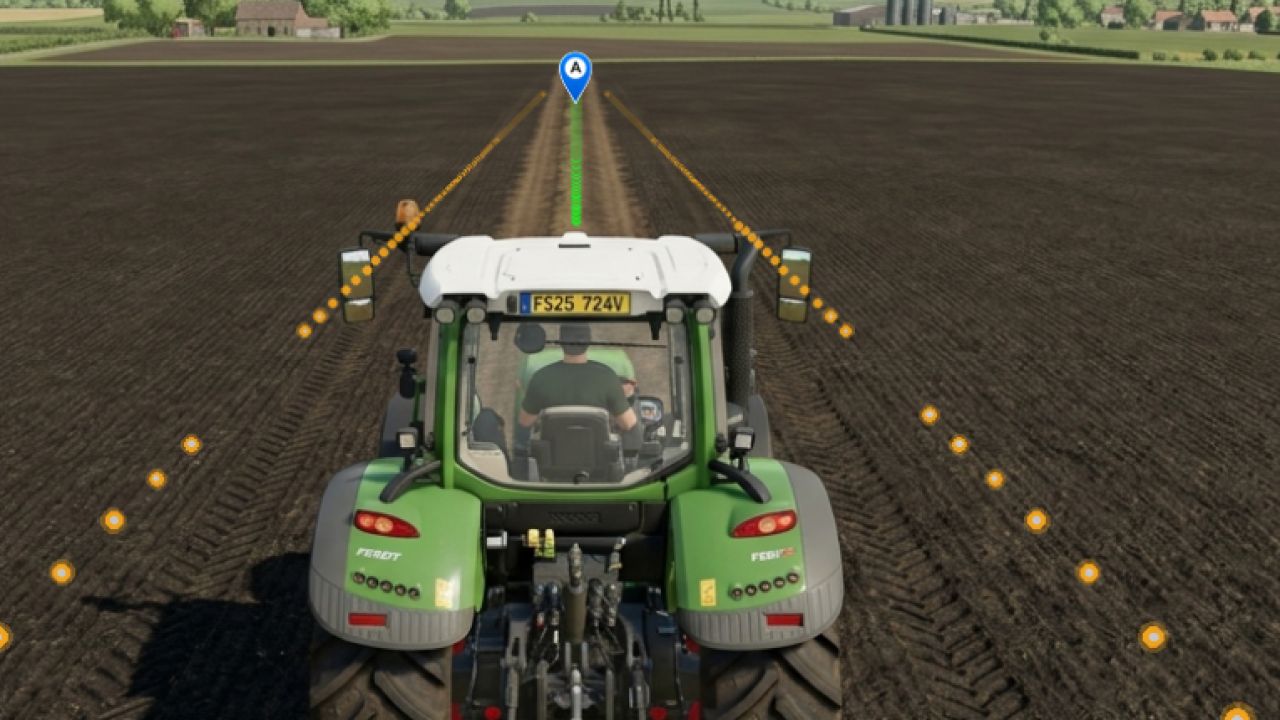
Take your farm’s efficiency to the next level with GPS Plus! Eliminate overlapping passes, skipped rows, and wasted seed, fertilizer, and fuel. Designed by Allan Beneck, GPS Plus equips all tractors, harvesters, and sprayers with centimeter-accurate guidance for Farming Simulator 25.
Set your guidance track in seconds and let the automated steering take over while you manage speed and equipment with ease.
Key Features:
Straight AB Lines: Mark Point A and Point B to create perfectly parallel tracks across your field.
Instant Heading Mode: Create a guidance track instantly along your vehicle’s current direction with a single keypress—no need to drive to the opposite side of the field.
Fine Angle Snapping (0.5°): Rotate your guidance lines in 0.5° increments for surgical alignment with roads, fences, and field boundaries.
Lateral Track Nudge: Shift your active lane left or right by 10 cm on the fly to compensate for terrain shifts without resetting your track.
Smooth Curve Recording (Curved AB Mode): Record irregular contours, terraced hillsides, or riverbanks. The custom algorithm applies cubic spline smoothing and tangential extension.
Automatic Implement Width Detection: One click automatically scans attached implements (planters, cultivators, sprayers, headers) and sets the exact working width. Also supports manual 0.1m stepping.
Automatic Headland Turns: When reaching the end of the field, press the turn shortcut and your machine executes a clean 180° turn directly into the next swath.
CONTROLS & SHORTCUTS:
Right Shift + ; — Set Point A / B (AB Line)
Right Shift + L — Straight Line on Current Heading
Right Shift + ‘ — Set Curved Line A / B
Left Alt + W — Toggle Steering / Auto Pilot
Left Alt + A / D — Headland Turn 180° (Left / Right)
Left Alt + I — Auto Detect Implement Width
Left Alt + = / – — Adjust Width (+ / – 10cm)
Left Alt + Up / Down — Rotate Heading (+ / – 0.5°)
Left Alt + Left / Right — Nudge Line (+ / – 10cm)
Left Alt + H — Toggle Guidance Lines Visibility