LS25 Highlight Selected Control Group V1.0.0.0

LS25 Other

LS25 Highlight Selected Control Group V1.0.0.0

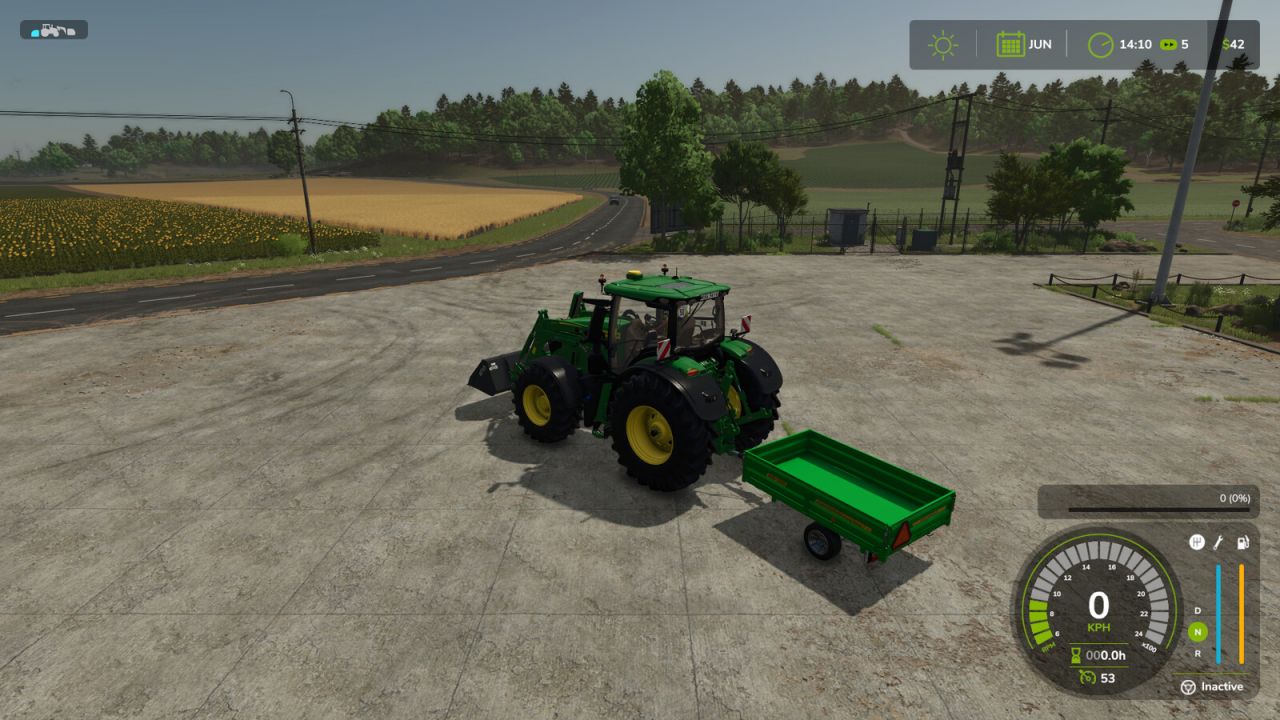
Makes the selected control group’s vehicle or implement silhouette easier to see by tinting its default white silhouette with a customizable color.

A silhouette that already has a non-white color, such as when the vehicle or implement is turned on, is left unchanged.
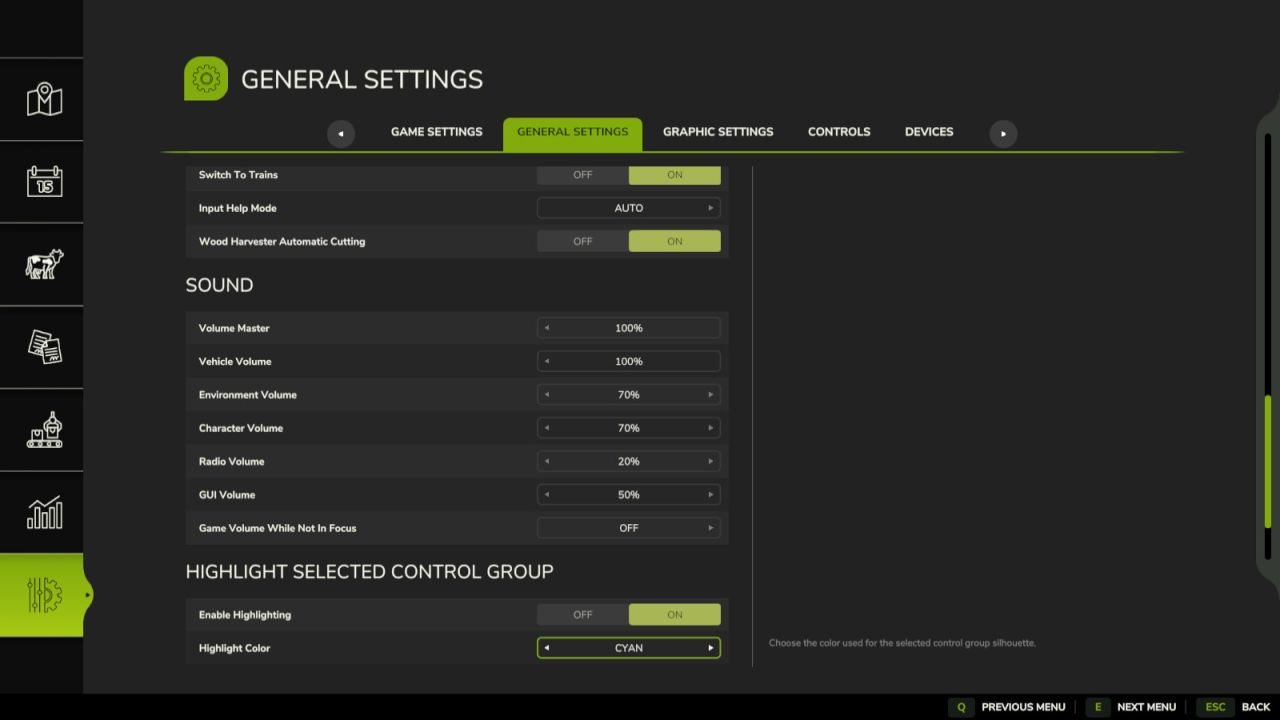
The default highlight color is cyan. The color can be changed in General Settings.



Authors:
Razdyn


Why & How to use FS25 mods

Have you tried Farming Simulator 25 Mods already? Downloading FS25 / FS22 mods is one of the best ways to upgrade your Farming Simulator 25 / 22 game by just installing it. All that you need is to select Farming Simulator 25 / 22 mod and upload it to your game mod folder. Here you will find modifications such as Tractors, Maps, harvesters mods for FS22 / FS22. However, the best way to see how it works is just to try and explore these LS25 / LS22 mods right now.


LS25 Other

Leave a Reply

Do you need help or to say thanks for mod author? Just leave a comment bellow!