LS25 Multi Production Monitor V1.0.0.0

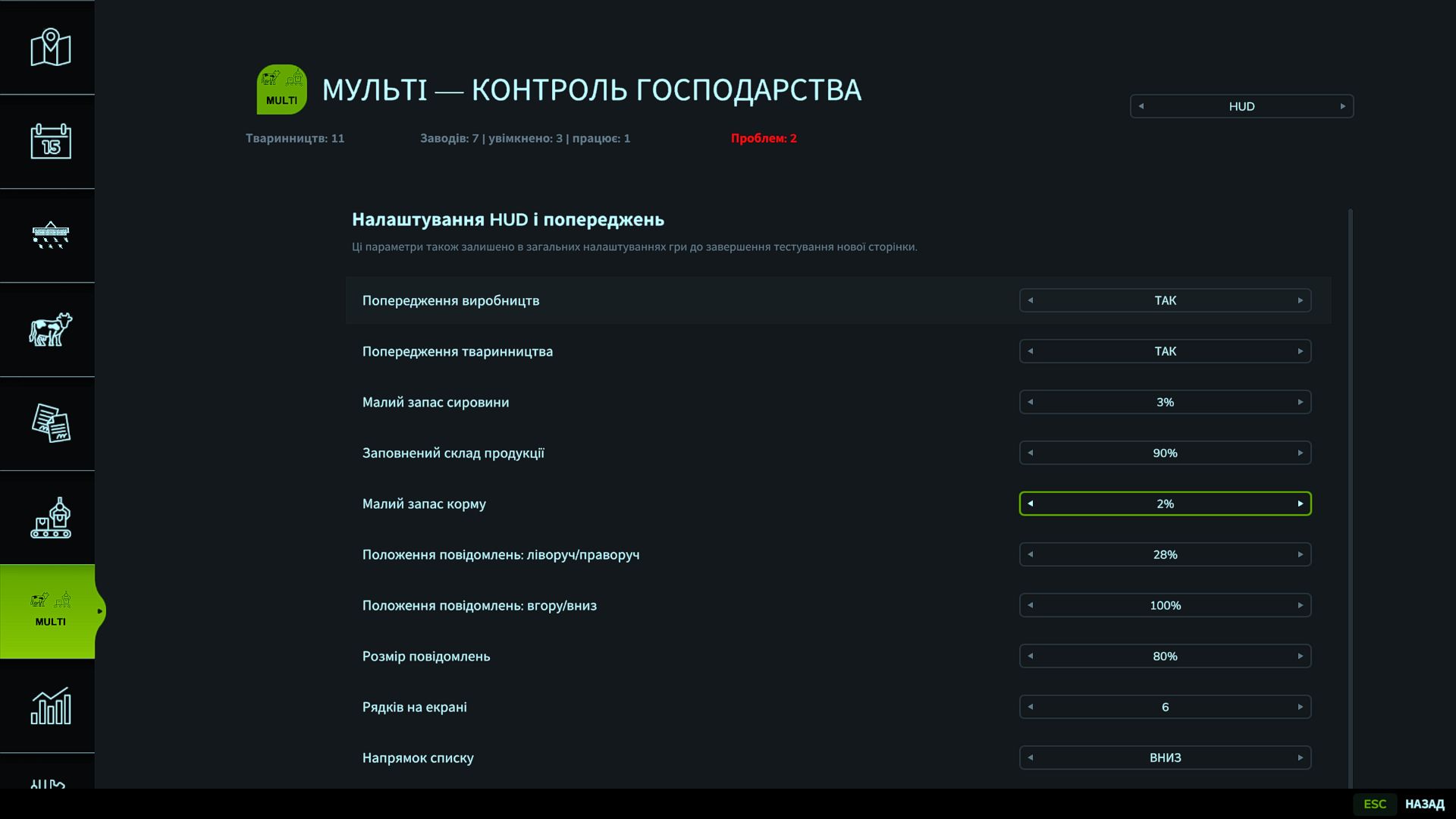
LS25 Multi Production Monitor V1.0.0.0
A script mod for Farming Simulator 25 that combines production and livestock management in a single menu.
Main features:
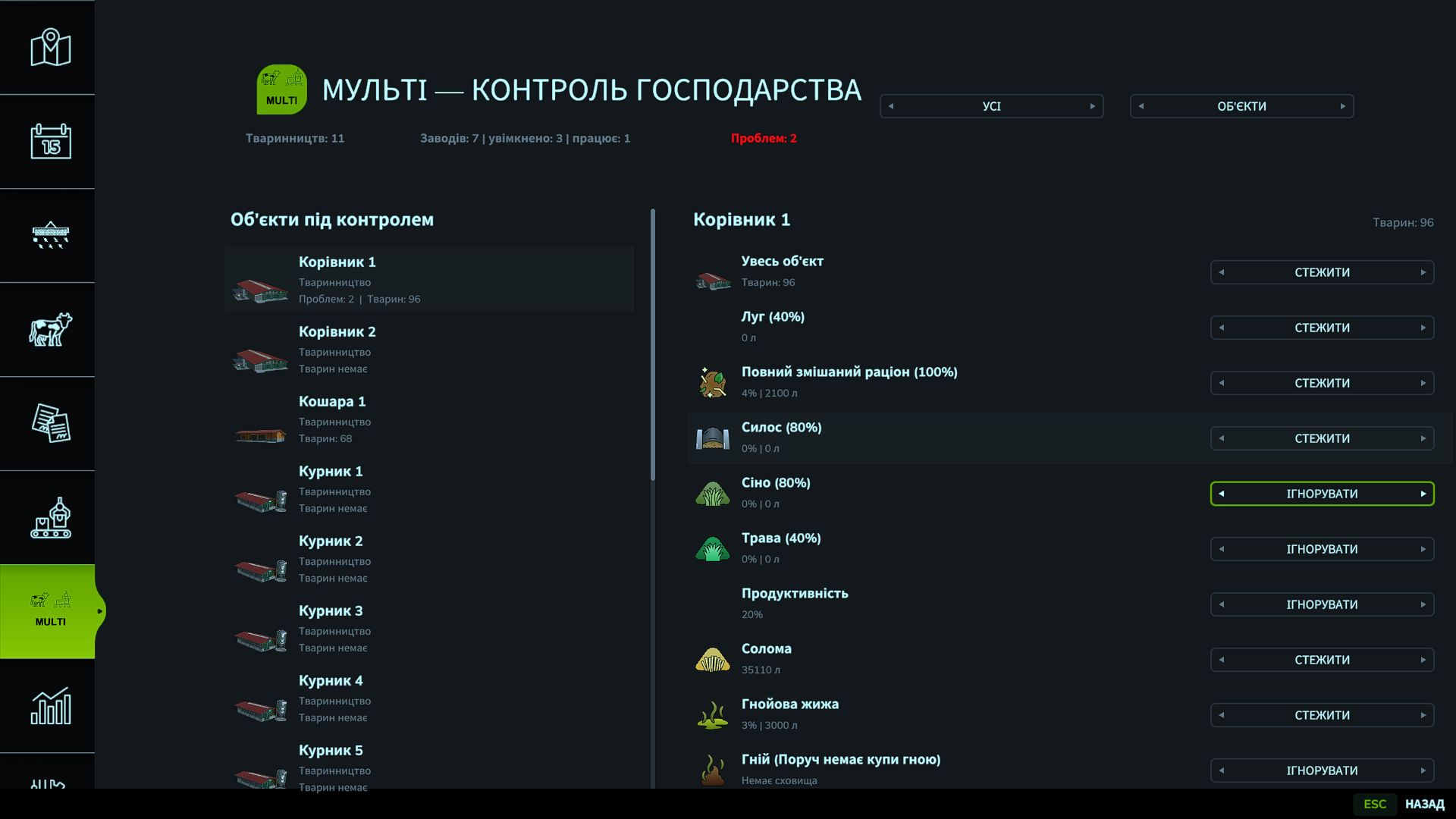
– a separate MULTI page in the game menu;
– control of your own factories and livestock facilities;
– counter for active production processes;
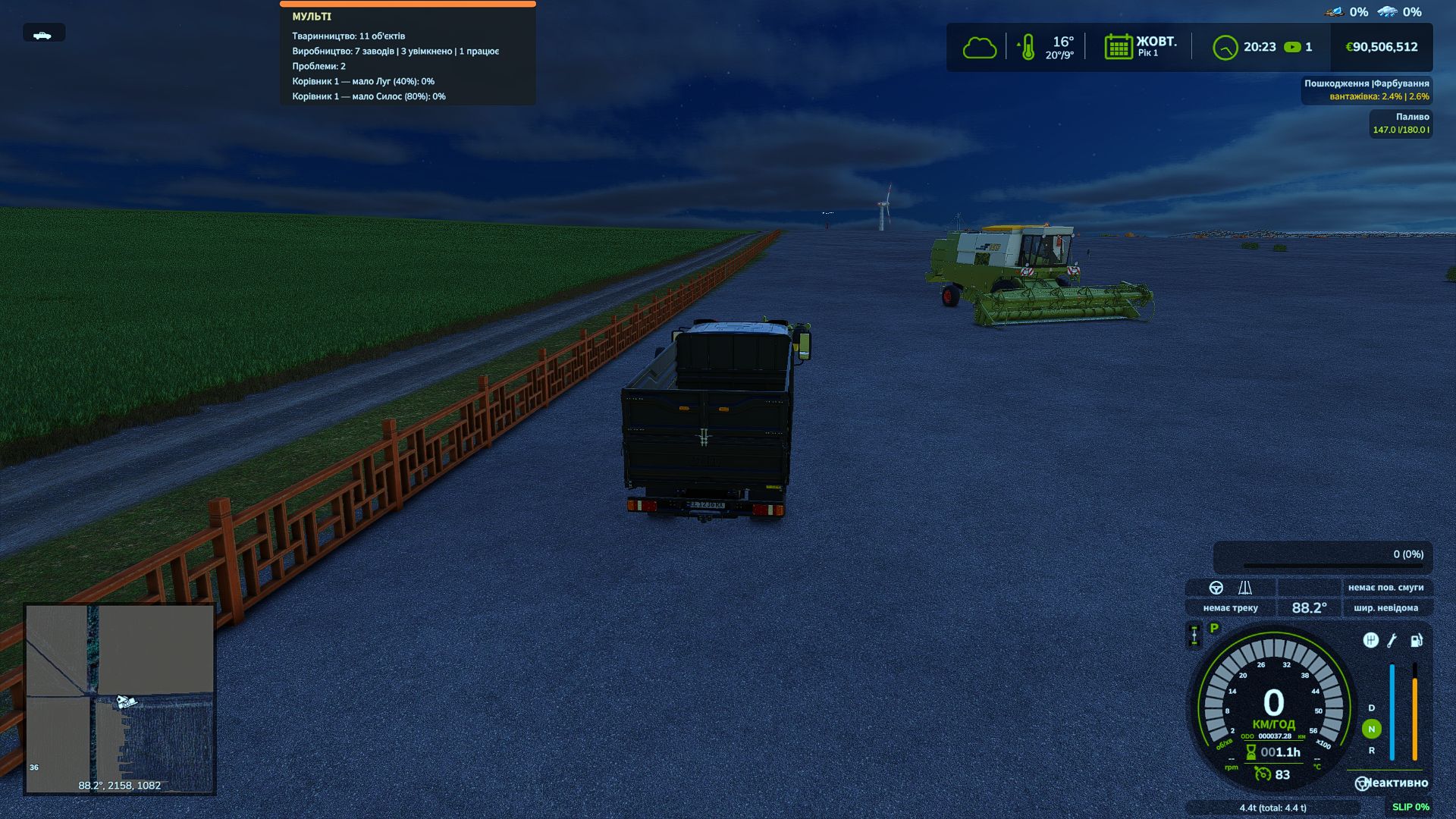
– warnings about insufficient raw materials, feed and water;
– monitoring of finished product storage levels;
– notifications about a blocked pallet spawning location;
– separate activation of monitoring for each object, resource and process;
– warning threshold settings from 0 to 100%;
– adjustment of the HUD position, size and number of lines;
– notifications remain active until the problem is resolved.
Right Ctrl + P toggles the display of problems and active processes. The key can be changed in the control settings.
The mod does not change recipes, speed or profitability of productions — it only displays information.
Platform: PC
Tested: Steam version of Farming Simulator 25
Multiplayer: use with multiple players has not been tested yet
Languages: Ukrainian and English
Author: sermed
Version: 0.2.0.0
V1.0.0.0
Added a display of storage facilities with products, grain and bales, showing the quantities stored using the shortcut Right CTRL [. The mod menu also includes an extended storage menu. A notification can also be displayed on the screen either as a pop-up or permanently.